Why is my lip sync not working properly with Sync AI?
Last updated: March 10, 2026
Context
You may experience issues where the generated video shows lip movement but the lips are not synchronized with the audio, even when using Sync 2 Pro or other models. This can happen across multiple generations and may persist for several days.
Answer
If you're experiencing lip sync issues where the lips move but don't match the audio timing, here's how to resolve the problem:
Step 1: Gather Your Job Information
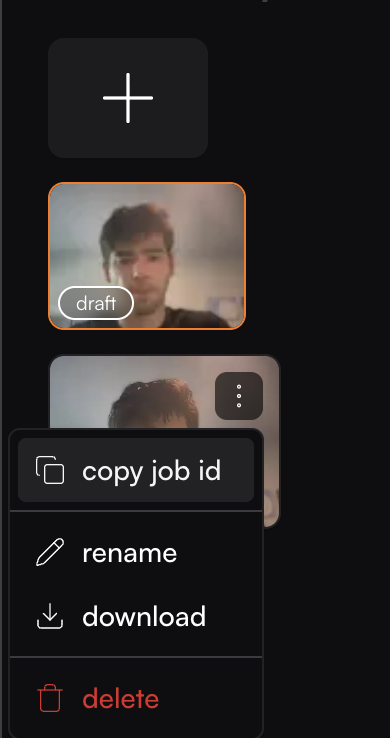
Collect the Job IDs for all affected generations. You can find the Job ID by:
Locating the generation in your history view
Clicking the three-dot menu on the item
Selecting "copy job id"
Step 2: Contact Support
Reach out to support with the following information:
All Job IDs experiencing sync issues
Specific description of the problem (e.g., "lips move but don't sync with speech")
Which models you've tested (Sync 2 Pro, Sync 2, etc.)
Confirmation that you haven't changed any settings from previous successful generations
Step 3: Follow Best Practices
To prevent future sync issues, ensure your input media follows these guidelines:
Video Requirements:
Avoid full profile (side-view) shots
Ensure no obstructions are covering the face
Use videos where the character appears to be talking naturally
Audio Requirements:
Avoid audio with background music or noise
Use single-speaker audio (avoid multiple simultaneous speakers)
For detailed media preparation guidelines, refer to the Media Content Tips documentation.