Can I create videos using my own voice by cloning it?
Last updated: March 19, 2026
Context
You want to create videos using your own voice by cloning it and then providing a script for text-to-speech generation. This allows you to generate audio content that sounds like you speaking without having to record new audio each time.
Answer
Yes, you can clone your voice and use text-to-speech to generate audio of you speaking. Here's how to do this from the studio:
Upload your video
Once your video is uploaded, you'll see the audio input. Press the voice selector option:
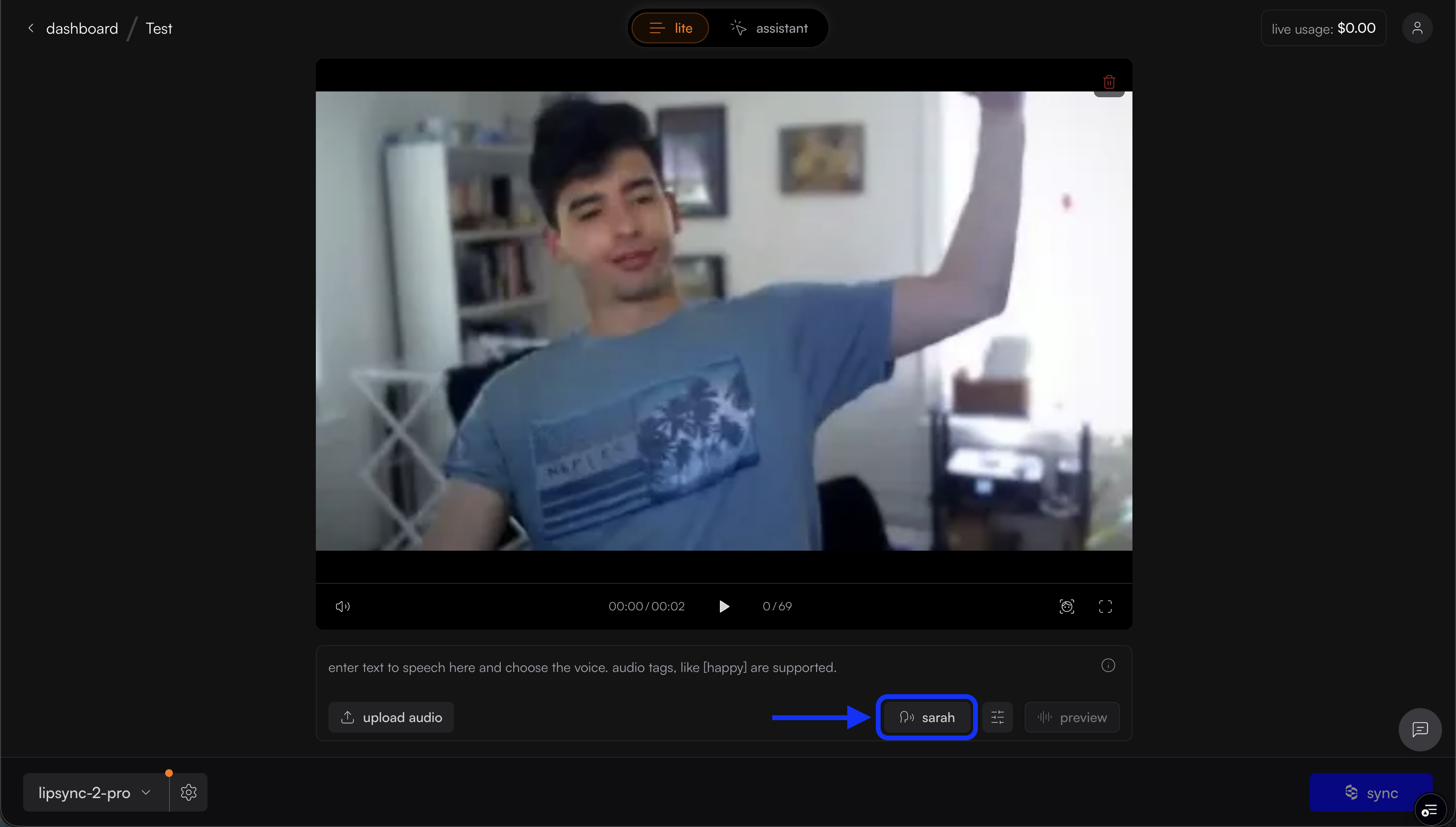
Then select the "clone voice" option:
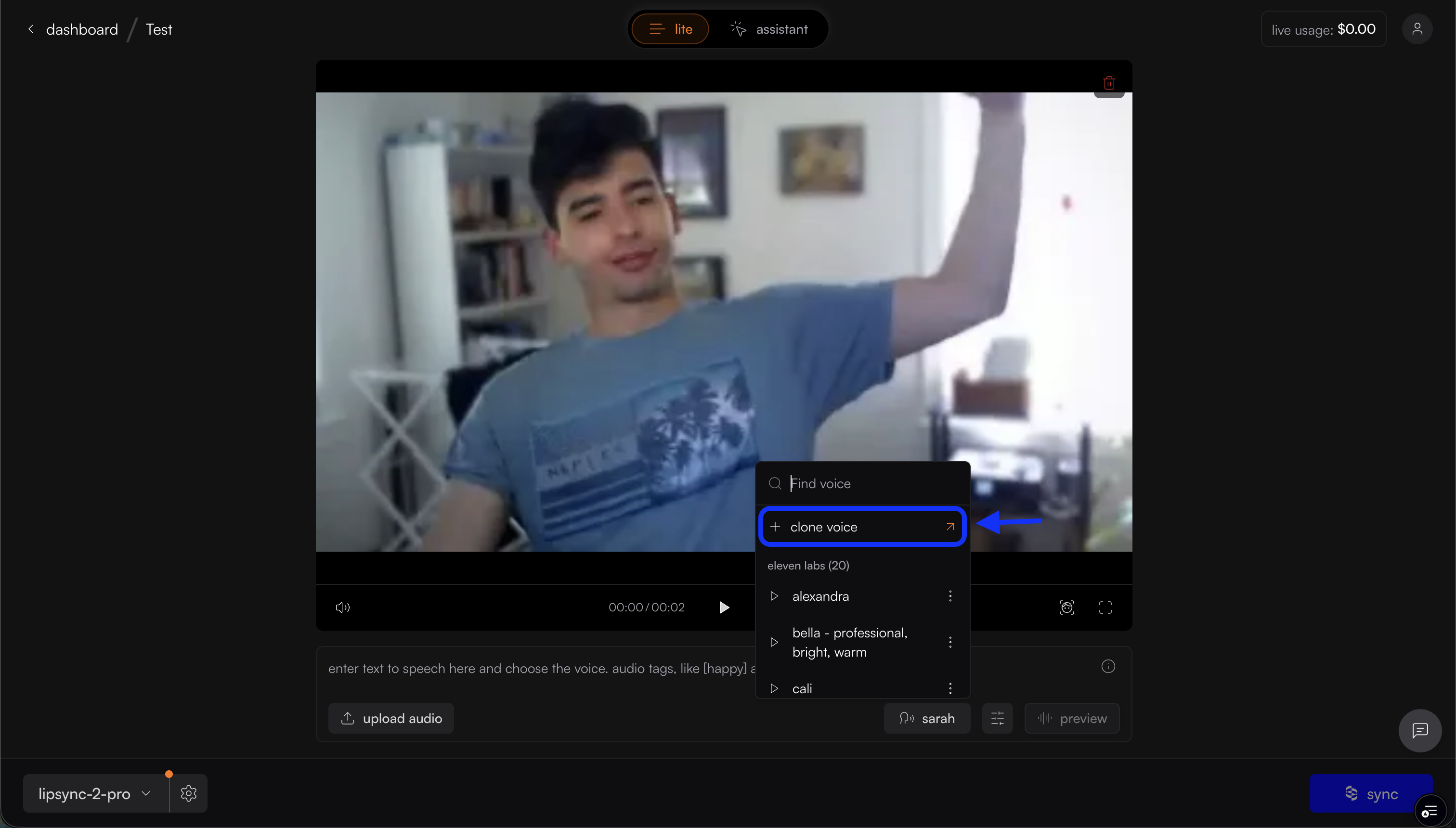
You'll then be prompted to create the voice:
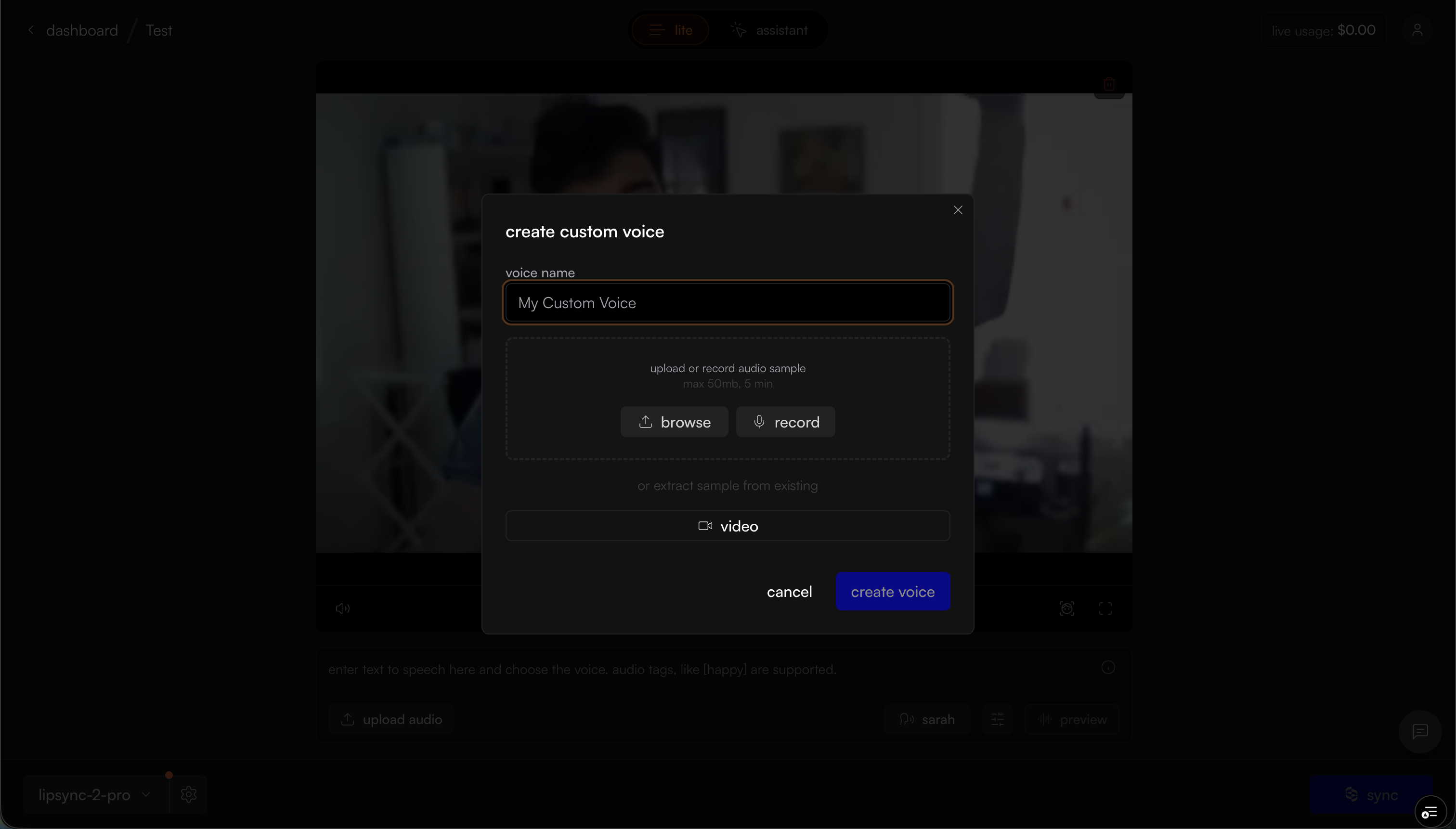
After creating your voice you can enter your script into the text input and generate the audio
This feature allows you to create new video content with your cloned voice by simply providing a text script, eliminating the need to record new audio each time.