How do I delete my account?
Last updated: February 5, 2026
Context
You may want to permanently delete your account from the platform. This action will remove all your data and cannot be undone.
Answer
To delete your account, follow these steps:
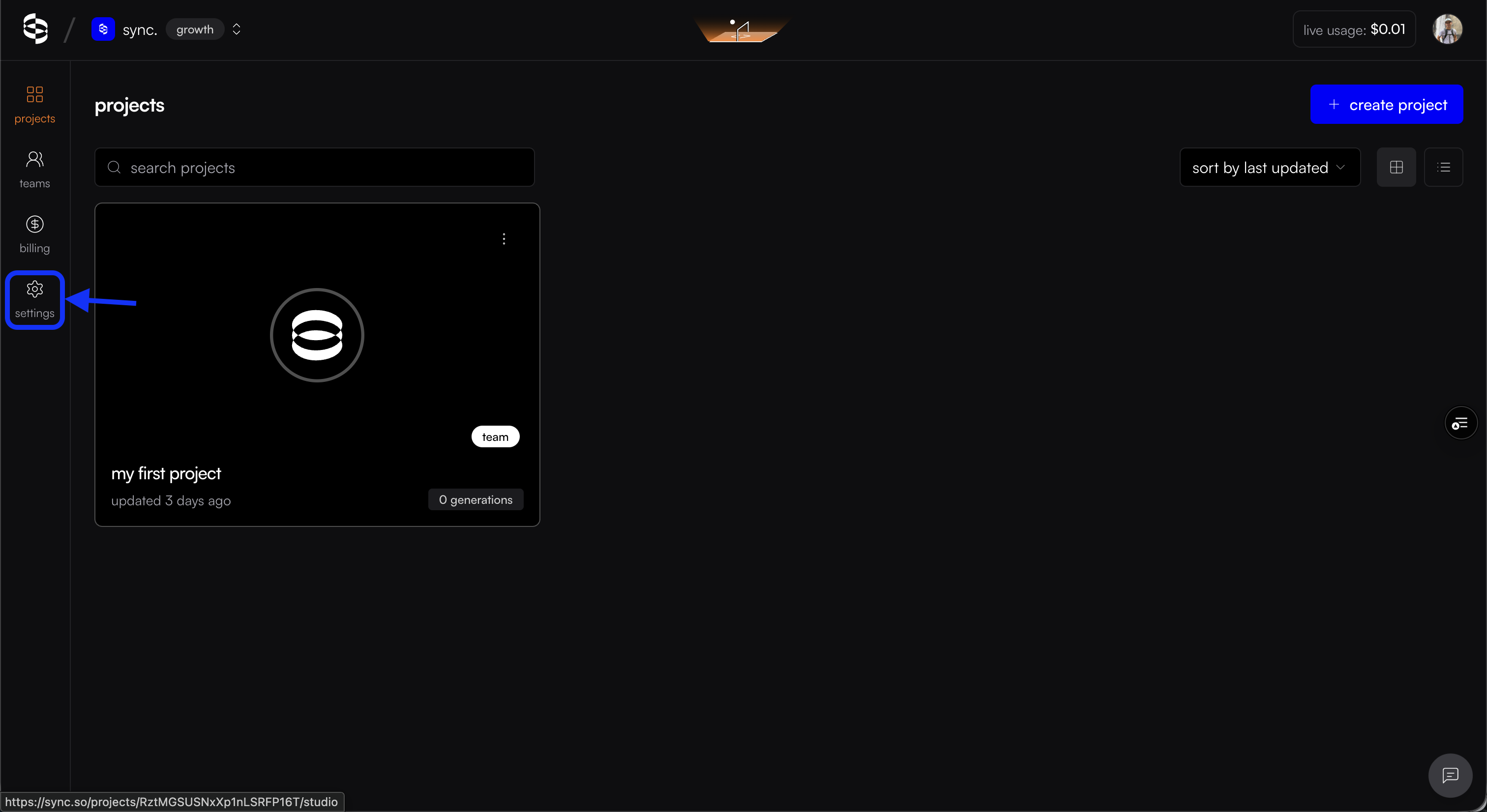
Click on Settings in the left navigation bar
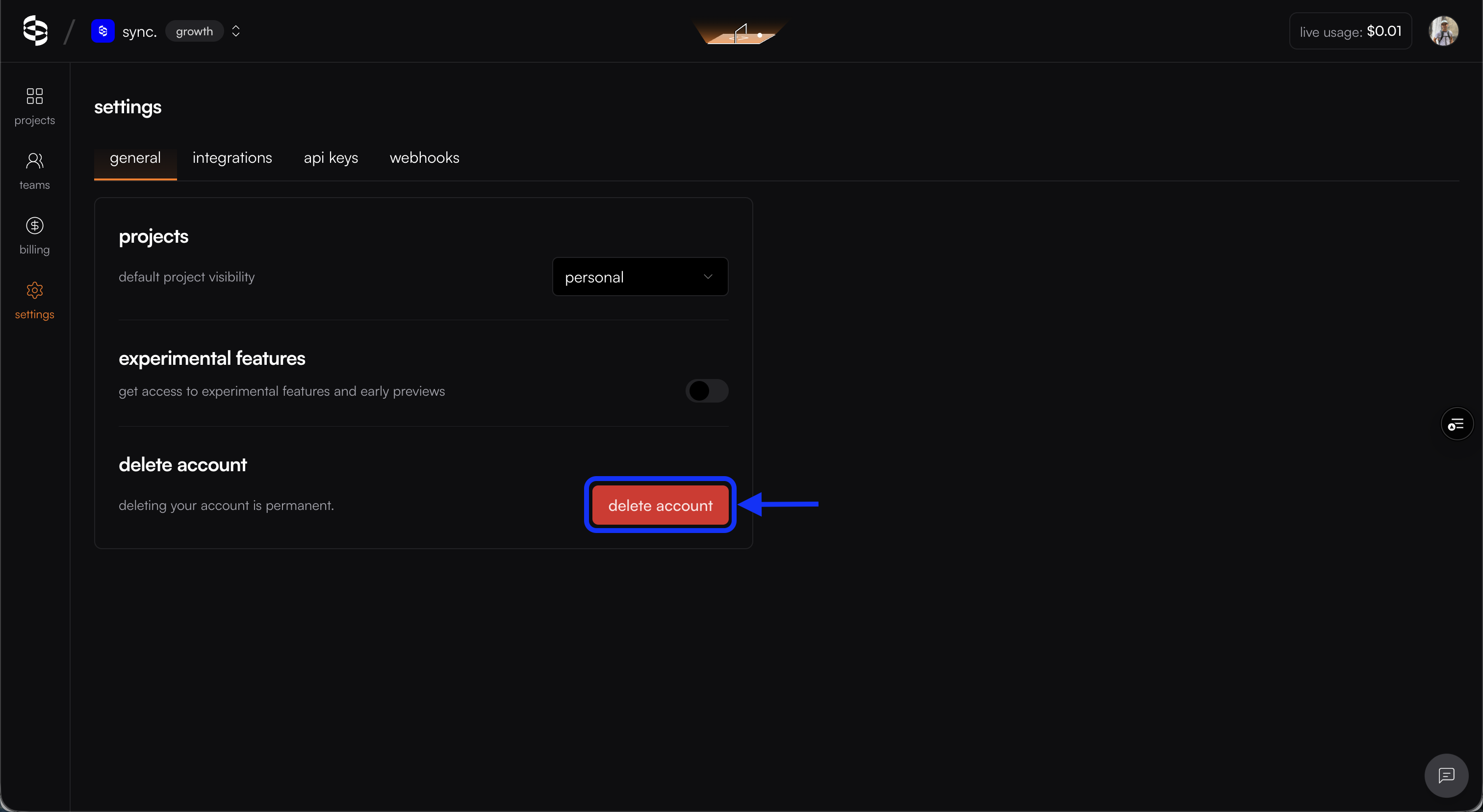
Select Delete Account under the General section
Follow the prompts to confirm the deletion
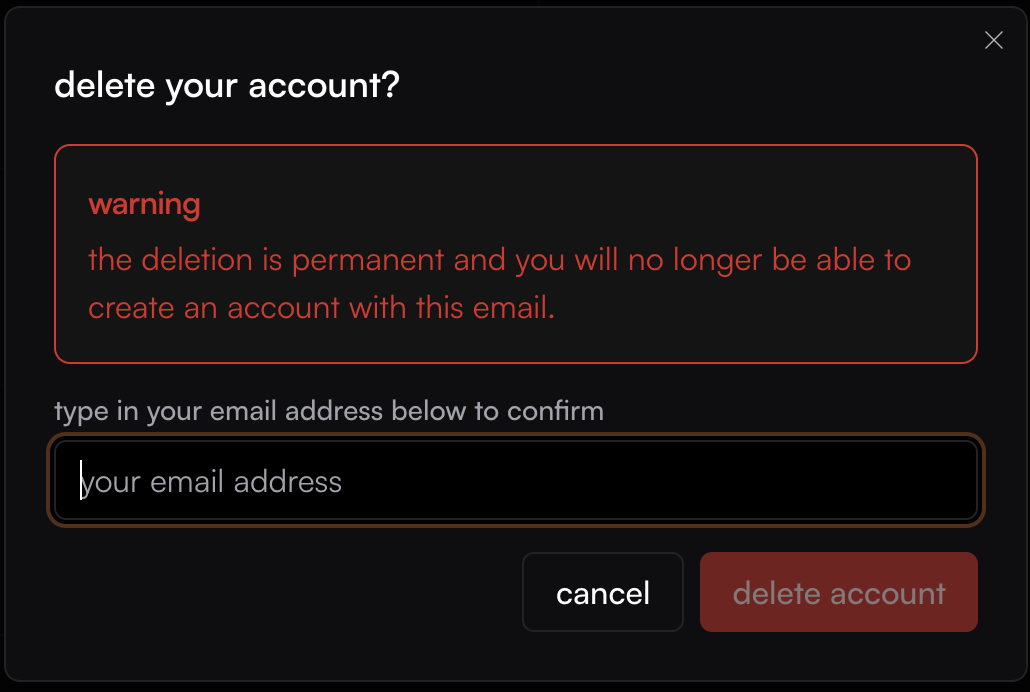
Please note that account deletion is permanent and cannot be reversed. Make sure to backup any important data before proceeding. You will be blocked from deleting your account if you have an active subscription or are the owner of a team account with active members.